
Anúncios
Ever wondered if you could turn your smartphone into a personal voice assistant like Alexa? With the right application, you can bring Amazon’s powerful AI directly into your pocket.
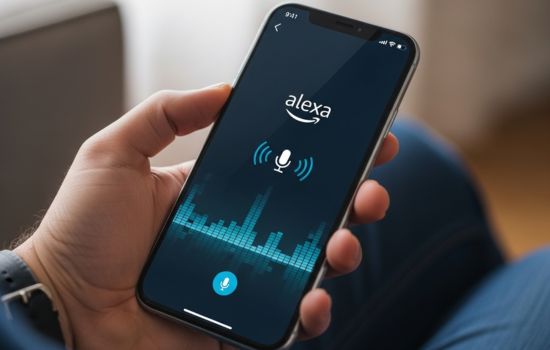
The Amazon Alexa app transforms any Android or iOS device into a versatile virtual assistant. Whether you own an Echo device or not, this powerful application opens up a world of voice-controlled convenience right from your mobile phone.
From managing smart home devices to playing music, setting reminders, and answering questions, the Alexa app delivers comprehensive functionality. Let’s explore how this remarkable tool can enhance your daily routine and why millions of users worldwide rely on it for seamless digital assistance. 🎯
What Is the Amazon Alexa App and How Does It Work?
The Amazon Alexa application serves as both a standalone voice assistant and a control center for Alexa-enabled devices. Originally designed to manage Echo speakers, the app has evolved into a fully functional virtual assistant that operates independently on smartphones and tablets.
When you download and install the Alexa app, you gain access to Amazon’s cloud-based artificial intelligence platform. The app uses your device’s microphone to receive voice commands, processes them through Amazon’s servers, and delivers responses through your phone’s speaker. This seamless integration means you don’t need to purchase additional hardware to experience Alexa’s capabilities.
The application works by maintaining a constant connection to Amazon’s servers whenever you activate it. Simply tap the Alexa button within the app or use the wake word if your device supports hands-free activation. The AI then interprets your request, whether it’s checking the weather, playing a specific song, or controlling compatible smart home devices.


Key Features That Make Your Phone an Alexa Device
The transformation of your smartphone into an Alexa-powered assistant brings numerous practical features. Voice shopping allows you to add items to your Amazon cart or reorder previous purchases using simple commands. Music streaming from services like Amazon Music, Spotify, and Apple Music becomes effortless through voice control.
Smart home management stands out as one of the app’s most valuable features. Control lights, thermostats, security cameras, and locks from brands like Philips Hue, Ring, Nest, and hundreds of others. Create routines that trigger multiple actions with a single command, such as “Good morning” turning on lights, starting your coffee maker, and reading the news.
The app also provides access to over 100,000 Alexa skills—third-party applications that extend functionality. These skills range from meditation guides and workout trainers to language learning tools and recipe assistants. Each skill enhances what your phone-turned-Alexa can accomplish.
Setting Up Alexa on Your Smartphone: A Step-by-Step Guide
Getting started with the Alexa app requires just a few minutes. First, download the application from the Google Play Store for Android devices or the App Store for iOS devices. The installation process follows standard app download procedures, requiring minimal storage space on your device.
After installation, open the app and sign in with your Amazon account credentials. If you don’t have an Amazon account, you’ll need to create one—it’s free and takes only a couple of minutes. The app will request permissions for your microphone, location, and notifications, which are essential for full functionality.
Once logged in, the app presents a brief tutorial highlighting main features. You can skip this if you’re familiar with voice assistants, but newcomers will find it helpful. The home screen displays personalized suggestions, recent activities, and quick access to common features like music, smart home controls, and communication tools.
Customizing Your Alexa Experience 🎨
Personalization makes the difference between a generic assistant and one that truly understands your preferences. Navigate to the settings menu to adjust Alexa’s voice, language, and measurement units. You can choose from multiple voice options, including celebrity voices available for purchase.
Configure your location to receive accurate weather forecasts, local news, and traffic updates. Link your preferred music streaming service to enable seamless playback when you request songs or playlists. Connect your calendar to allow Alexa to read appointments and set reminders based on your schedule.
The Routines feature deserves special attention during setup. These automated sequences combine multiple actions triggered by a single phrase, schedule, or device status. For example, create a “Bedtime” routine that locks smart doors, turns off lights, and plays relaxing sounds at 10 PM every night.

Practical Uses That Enhance Your Daily Life
The Alexa app excels at simplifying everyday tasks. Voice-activated reminders ensure you never forget important appointments or errands. Ask Alexa to remind you about meetings, medication schedules, or even to call someone at a specific time. These reminders sync across all your Alexa-enabled devices for consistent notifications.
Shopping becomes incredibly convenient with voice commands. Add milk, bread, or any product to your shopping list while cooking. Browse Amazon’s catalog and place orders entirely through voice interaction. Track existing orders, check delivery status, and manage returns without opening multiple apps or websites.
News briefings provide personalized updates from your chosen sources. Enable skills from news organizations like BBC, CNN, NPR, or local stations to create a custom news feed. Each morning, ask for your Flash Briefing to hear the latest headlines, weather, traffic, and sports scores tailored to your interests.
Entertainment at Your Fingertips
Music lovers appreciate the app’s comprehensive audio capabilities. Request specific songs, artists, albums, or genres across multiple streaming platforms. Create personalized playlists, discover new music through recommendations, and control playback entirely through voice commands. The app supports multi-room audio if you own multiple Echo devices.
Podcast enthusiasts can discover and play thousands of shows through simple requests. Ask Alexa to play the latest episode of your favorite podcast or explore new content based on your interests. The app remembers your position in episodes, allowing you to seamlessly switch between devices.
Audiobook listeners with Audible subscriptions can access their library through Alexa. Listen to books, control playback speed, set sleep timers, and navigate chapters using voice commands. This hands-free experience proves invaluable during commutes, workouts, or household chores.
Smart Home Integration: Controlling Your Connected Devices 🏠
The Alexa app serves as a centralized hub for managing smart home ecosystems. After linking compatible devices, you control lights, thermostats, cameras, and appliances from a single interface. The app automatically discovers many devices on your network, simplifying the setup process.
Organize devices into groups representing physical rooms or functional categories. A “Living Room” group might include lights, a TV, and a thermostat, all controllable with commands like “Alexa, turn off the living room.” This grouping streamlines voice control and creates more natural interaction patterns.
Scene creation allows complex configurations activated by single commands. A “Movie Time” scene could dim lights to 20%, close smart blinds, turn on the TV, and set the thermostat to a comfortable temperature. These scenes transform multiple individual actions into one seamless experience.
Security and Monitoring Features
Smart security devices integrate deeply with the Alexa ecosystem. View live feeds from compatible security cameras directly within the app. Receive notifications when motion is detected, and use two-way audio to communicate through doorbell cameras. This functionality provides peace of mind whether you’re home or away.
Smart locks offer convenient keyless entry controlled through the app. Lock or unlock doors remotely, create temporary access codes for guests or service providers, and receive alerts when doors are accessed. Voice commands work for locking doors, though unlocking requires PIN verification for security.
Environmental monitoring through smart sensors keeps you informed about your home’s conditions. Temperature, humidity, water leak, and smoke detectors communicate status updates through Alexa. Configure alerts for abnormal conditions and automate responses, like turning on fans when temperatures rise above set thresholds.
Communication Capabilities Beyond Basic Voice Calls 📱
The Alexa app transforms your phone into a communication device with unique features. Drop In allows instant connection to other Alexa devices in your household, functioning like an intercom system. Announce messages to all connected devices simultaneously, perfect for calling family members to dinner or making household announcements.
Voice and video calling between Alexa users requires no phone minutes or cellular data when connected to Wi-Fi. Call any contact who has the Alexa app installed or owns an Echo device with a screen. Video calls work particularly well on tablets and phones with front-facing cameras.
Messaging lets you send voice messages to other Alexa users. These messages arrive as notifications and can be played back at the recipient’s convenience. The feature works across devices, meaning a message sent from your phone can be received on someone’s Echo speaker.
Privacy and Security Considerations 🔒
Understanding how Alexa handles your data is essential for informed usage. The app records voice interactions to improve accuracy and personalization. These recordings are stored in your Amazon account and accessible through the app’s privacy settings. You can review, listen to, and delete individual recordings or entire conversation histories.
Voice history management offers granular control over stored data. Set automatic deletion intervals ranging from three months to eighteen months, or choose to manually review and delete recordings. This transparency allows users to balance personalization benefits with privacy preferences.
The app includes a mute function that disables the microphone, preventing accidental activation or unwanted listening. Visual indicators show when Alexa is actively listening or processing commands. These features provide reassurance that the assistant only activates when intended.
Managing Permissions and Connected Services
Regular audits of connected skills and linked accounts maintain security. The app clearly displays all enabled skills, linked music services, smart home connections, and third-party integrations. Disable or remove any services you no longer use to minimize potential security vulnerabilities.
Two-factor authentication adds an extra security layer to your Amazon account. Enable this feature through Amazon’s account settings to protect against unauthorized access. Since the Alexa app connects deeply with your Amazon account, this protection extends to all voice assistant functionalities.
Review app permissions periodically to ensure they align with your current usage. While microphone access is essential for voice commands, you might reconsider location permissions if you rarely use location-based features. Balancing functionality with minimal permissions enhances overall security.
Troubleshooting Common Issues and Optimization Tips ⚙️
Connection problems represent the most frequent challenges users encounter. If Alexa doesn’t respond, first verify your internet connection. The app requires stable Wi-Fi or cellular data to communicate with Amazon’s servers. Restart your router or switch networks if connectivity seems unstable.
Voice recognition accuracy improves through Voice Training in the app’s settings. This feature analyzes your speech patterns to better understand your accent, pronunciation, and speaking style. Complete the training exercises in a quiet environment for optimal results.
App performance issues often resolve through simple maintenance. Clear the app’s cache regularly to free up storage and improve responsiveness. Keep the app updated to the latest version, as updates frequently include bug fixes, new features, and performance enhancements.
Maximizing Battery Life While Using Alexa
Voice assistant apps can drain battery if not managed properly. Disable hands-free activation if you primarily use the app through manual button presses. This prevents the app from constantly monitoring for wake words, significantly reducing background battery consumption.
Adjust notification settings to receive only essential alerts. While Alexa notifications can be helpful, excessive alerts drain battery and become distracting. Customize which types of notifications you receive through the app’s notification settings.
Background app refresh settings impact both battery life and functionality. On iOS, you can disable background refresh for Alexa if you primarily use it actively rather than relying on background features. Android users can restrict background data usage for similar benefits, though this may delay some notifications.
Comparing Alexa App with Echo Devices: What’s the Difference?
While the Alexa app and Echo speakers share core functionality, important distinctions exist. Echo devices offer always-listening capability without draining phone batteries or requiring manual activation. This hands-free convenience makes Echo speakers ideal for kitchens, living rooms, and bedrooms where voice interaction feels most natural.
Sound quality represents another significant difference. Echo speakers, particularly premium models like Echo Studio, deliver superior audio performance compared to smartphone speakers. For music enthusiasts and audiophiles, dedicated Echo hardware provides a noticeably better listening experience.
However, the app offers portability that Echo devices cannot match. Your phone accompanies you everywhere, making Alexa accessible in your car, at work, or while traveling. This mobility extends your voice assistant’s usefulness beyond the home environment.
Using Both the App and Echo Devices Together
The greatest power comes from combining the Alexa app with Echo hardware. Use the app to configure and manage Echo devices, create routines, enable skills, and adjust settings. The mobile interface often provides easier navigation for complex configurations than voice commands alone.
Multi-room audio becomes possible when you own multiple Echo devices. The app orchestrates synchronized playback across speakers in different rooms, creating a whole-home audio system. Control which devices play music, adjust individual volume levels, and manage groups—all from your phone.
The app also serves as a remote control for Echo Show devices with screens. View camera feeds, browse visual content, and manage display settings remotely. This integration creates a cohesive ecosystem where mobile and stationary devices complement each other.
Advanced Features for Power Users 💪
Blueprints allow you to create custom Alexa skills without coding knowledge. Design personalized responses, custom Q&A interactions, or family-specific commands through simple templates. These custom skills add unique personality and functionality tailored to your household’s needs.
IFTTT integration expands Alexa’s capabilities exponentially. Connect Alexa to hundreds of services and devices not natively supported, creating powerful automation chains. Trigger actions on one platform based on Alexa voice commands, or have Alexa announce events from other services.
Developer features within the app interest technically inclined users. Access detailed device information, test skills before publishing, and troubleshoot smart home integrations with advanced diagnostic tools. These features reveal the depth of Amazon’s voice assistant platform.
Creating Complex Routines and Automations
Advanced routines go beyond simple scheduled actions. Use conditional logic to create “if this, then that” scenarios within Alexa’s routine builder. For example, a routine could turn on lights only if motion is detected after sunset, adding intelligence to automation.
Chain multiple routines together for sophisticated behaviors. A morning routine might trigger a follow-up routine if specific conditions are met, like starting your coffee maker only on weekdays. This layered approach creates truly smart automation that adapts to your lifestyle.
Location-based triggers activate routines when you arrive or leave home. This geofencing functionality uses your phone’s location to automatically execute actions like unlocking doors when you arrive or adjusting the thermostat when you leave. These automations run seamlessly in the background, enhancing convenience without requiring conscious interaction.
Future Developments and What to Expect
Amazon continuously evolves the Alexa platform with regular updates. Recent additions include improved natural language processing, allowing more conversational interactions. Future developments promise even more context-aware responses that better understand complex, multi-part requests.
Integration with emerging smart home standards like Matter will expand device compatibility. This industry-wide protocol aims to simplify smart home ecosystems, allowing devices from different manufacturers to work together seamlessly through assistants like Alexa.
Artificial intelligence enhancements will make Alexa increasingly proactive. Rather than waiting for commands, expect the assistant to offer suggestions based on patterns, upcoming calendar events, or changing conditions. This evolution transforms Alexa from a reactive tool into a truly anticipatory assistant.
The Amazon Alexa app successfully transforms your smartphone into a powerful voice assistant without requiring additional hardware. Whether you’re managing smart home devices, controlling entertainment, setting reminders, or exploring thousands of skills, the app delivers comprehensive functionality that enhances daily life. With continuous improvements and expanding capabilities, turning your phone into Alexa represents a smart choice for anyone seeking convenient, voice-controlled digital assistance. 🌟
